 JiBrok Studio for Jira Cloud
What is JiBrok Studio for Jira Cloud?
Write, manage, and automate scripts that interact with your Jira data - directly from the Jira interface. JiBrok Studio for Jira Cloud is a Forge-based scripting platform built for Jira administrators.
Scripts run in a secure sandbox with no access to external networks or filesystems. The only way scripts interact with data is through the Jira REST API of the current site.
Get JiBrok Studio on Atlassian Marketplace - free to get started.
Key capabilities
| Feature | Description |
|---|---|
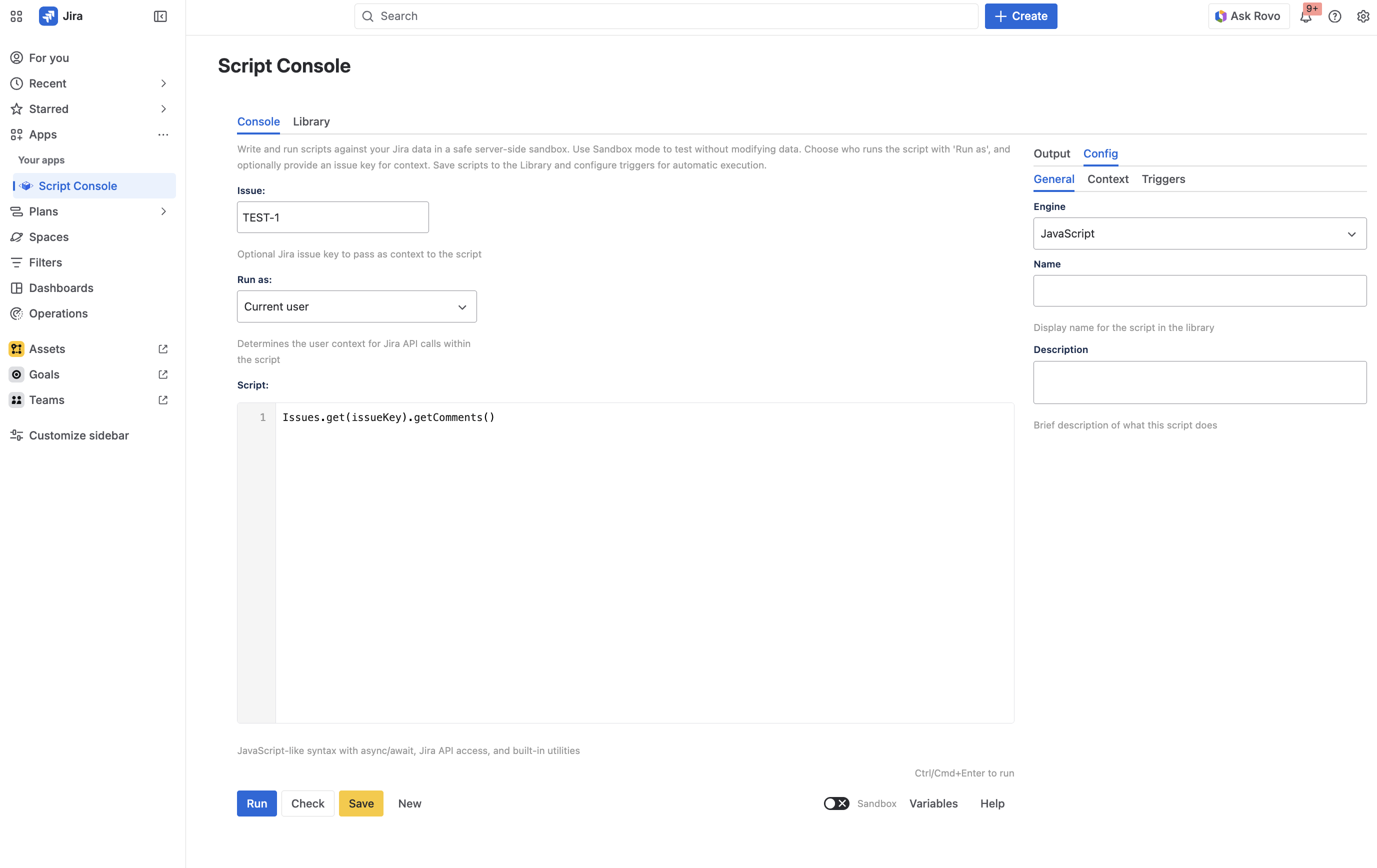
| Script Console | Interactive code editor with syntax highlighting, multiple language engines, and instant execution |
| Script Library | Central storage for saved scripts with folders, labels, search, and version history |
| Triggers | Automate script execution via schedules, Jira events, webhooks, and async events |
| Scripted Fields | Computed custom fields (text, number, date, datetime, paragraph) that recalculate on issue create/update |
| UI Modifications | Dynamically customize issue create and transition forms |
| Automation | Run scripts as Jira Automation actions |
| Rovo AI Agent | Expose scripts to Atlassian Rovo AI for natural language execution |
| Workflow Post Function | Run scripts after workflow transitions with full transition context |
| Workflow Validator | Validate workflow transitions with scripts before they complete |
| Workflow Condition | Control transition visibility with Jira Expressions |
| Custom Tables | Structured data storage with a visual browser |
| Message Queues | Async message processing with priority-based ordering |
| Webhook Trigger | Trigger scripts via HTTP requests with Basic Auth and rate limiting |
| Scenarios | Split long-running scripts into managed steps for bulk operations |
| Script Usage Tracking | See where scripts are used across workflows and custom fields |
Who is it for?
- Jira administrators who need to automate repetitive tasks
- Automation engineers building advanced workflows beyond native Jira capabilities
- Teams that need computed fields, conditional form logic, or custom data storage
Next steps
- Getting Started - Install the app and run your first script
- Script Console - Learn the editor and execution features
- Scripting API - Full API reference (Issues, Users, Projects, Fields, utilities)
- Use Cases - Practical scripting examples
- Triggers - Automate script execution



