 JiBrok Studio for Jira Cloud
Overview
Automate script execution by attaching triggers to schedules, events, or user actions. Configure triggers in the script’s Config tab.
Not sure which trigger to use? See Choose the right trigger for a side-by-side comparison of all 11 types.
Trigger types at a glance
| Trigger Type | Covered in detail |
|---|---|
| Scheduled (hourly/daily/weekly) | Scheduled Triggers |
| Event (32 Jira events) | Event Triggers |
| Async Event | Async Events |
| UI Modification (onInit/onChange) | UI Modifications |
| Scripted Field (Text/Number/Date/DateTime/Paragraph) | Scripted Fields |
| Automation | Jira Automation Integration |
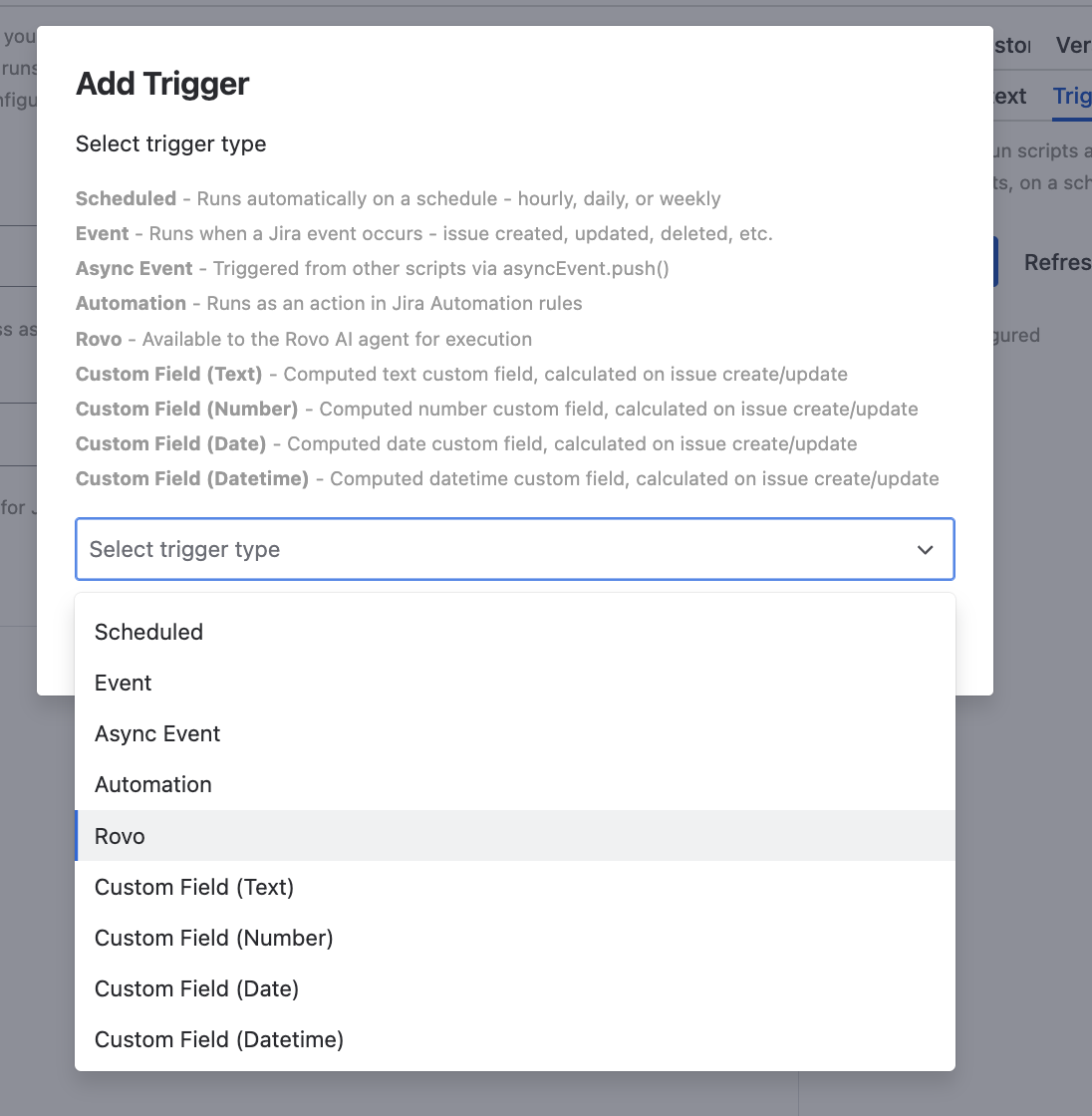
| Rovo | Rovo AI Agent Integration |
| Workflow Post Function | Workflow Post Function |
| Workflow Validator | Workflow Validator |
| Workflow Condition | Workflow Condition |
| Webhook (HTTP) | Webhook Trigger |
Context restrictions
Scripts can be limited to specific projects and issue types. When restricted, scripts skip non-matching issues.
For UI Modification triggers, you can also restrict by JSM portals and request types. See Limits for context restriction limits.
Configure context restrictions in the script’s Config tab.
Managing triggers
Adding a trigger
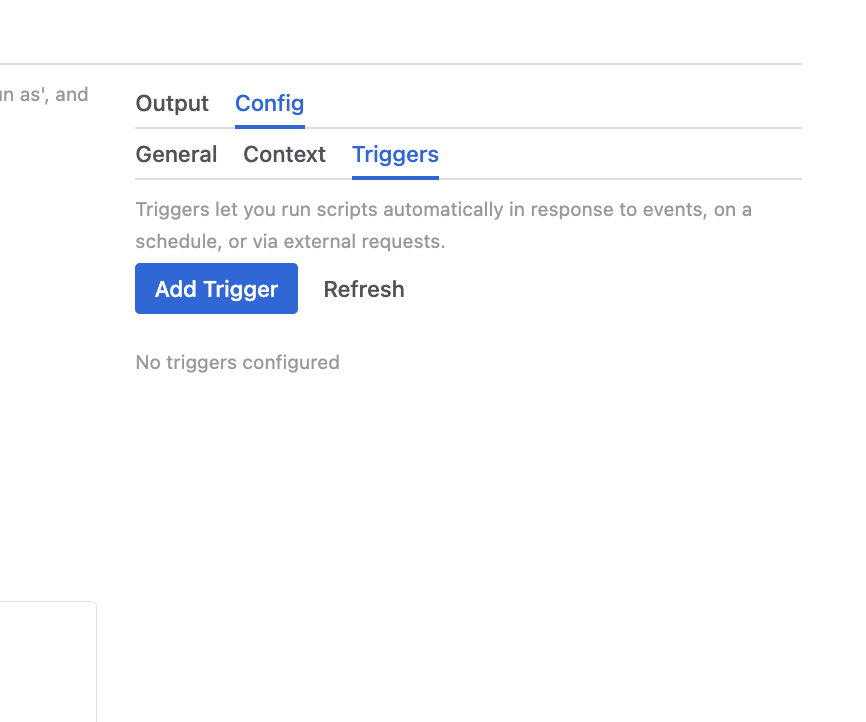
- Open a script in the Console
- Go to the Config tab
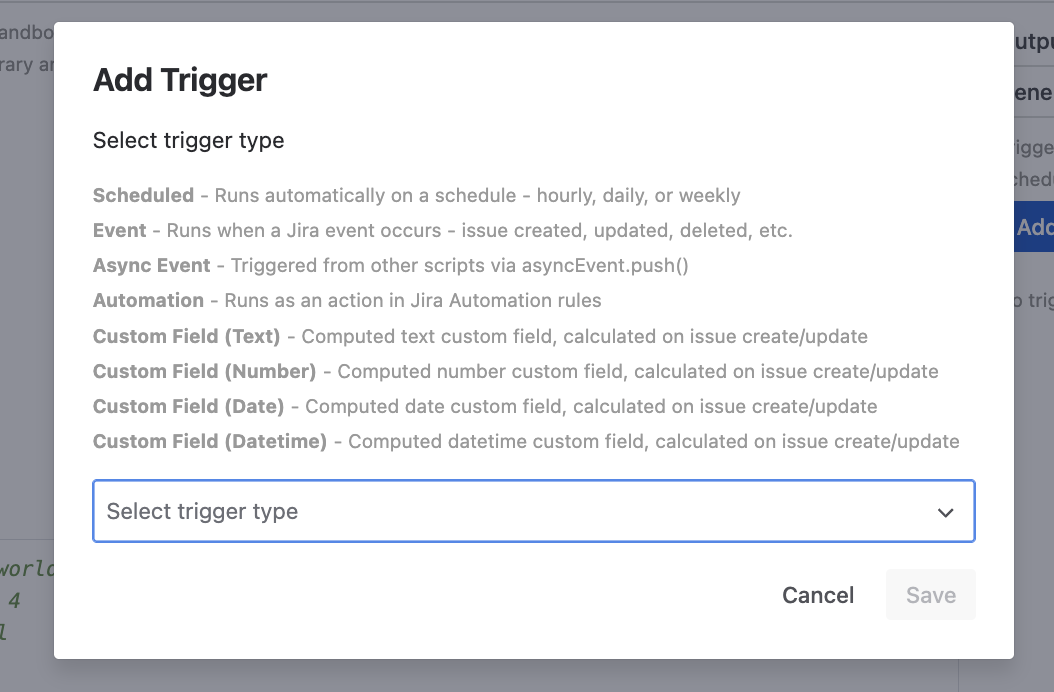
- Click Add Trigger
- Select trigger type and configure settings
- Save the script
Enabling/disabling
Each trigger has its own enabled/disabled toggle, independent of the script’s enabled status. Both must be enabled for the trigger to fire.
One trigger per type
All trigger types are singleton - each script can have at most one trigger of each type.
Important notes
- Workflow Condition is exclusive - adding a Workflow Condition trigger removes all other triggers from the script. This trigger uses Jira Expressions (not the sandbox engine) and is incompatible with other trigger types. See Workflow Condition.
- Workflow Validator is fail-open - if a validator script throws an error or times out, the transition is allowed (not blocked). Design validators to explicitly return
falsewith a message to block transitions. See Workflow Validator.
Limits
See Limits for trigger count limits. Global trigger type toggles are available in Administration.
Next steps
- Script Console - Configure triggers via Config tab
- Administration - Global trigger type controls
- Scripted Fields - Field computation triggers
- UI Modifications - Form customization triggers
- Jira Automation Integration - Run scripts from Jira Automation rules
- Rovo AI Agent Integration - Expose scripts to Rovo AI
- Workflow Post Function - Run scripts after workflow transitions
- Workflow Validator - Validate workflow transitions before they complete
- Workflow Condition - Control transition availability with Jira Expressions
- Webhook Trigger - Trigger scripts via HTTP requests



