 JiBrok Studio for Jira Cloud
Overview
The Script Engine Reference is a built-in, searchable reference panel that provides language syntax, API documentation, and ready-to-use code examples for all script engines (JavaScript, Python, Groovy, and Jira Expressions).
To open it, click the Help button in the Console toolbar. The reference panel adapts to the currently selected script engine - switching the engine in the Console automatically updates the reference content.
Key features:
- Engine-aware content - categories and examples match the selected engine
- Search - filter sections by keyword across titles, descriptions, and code examples
- Copy button - one-click copy on every code example for quick insertion into the editor
- Organized categories - content is grouped into logical categories with expandable sections
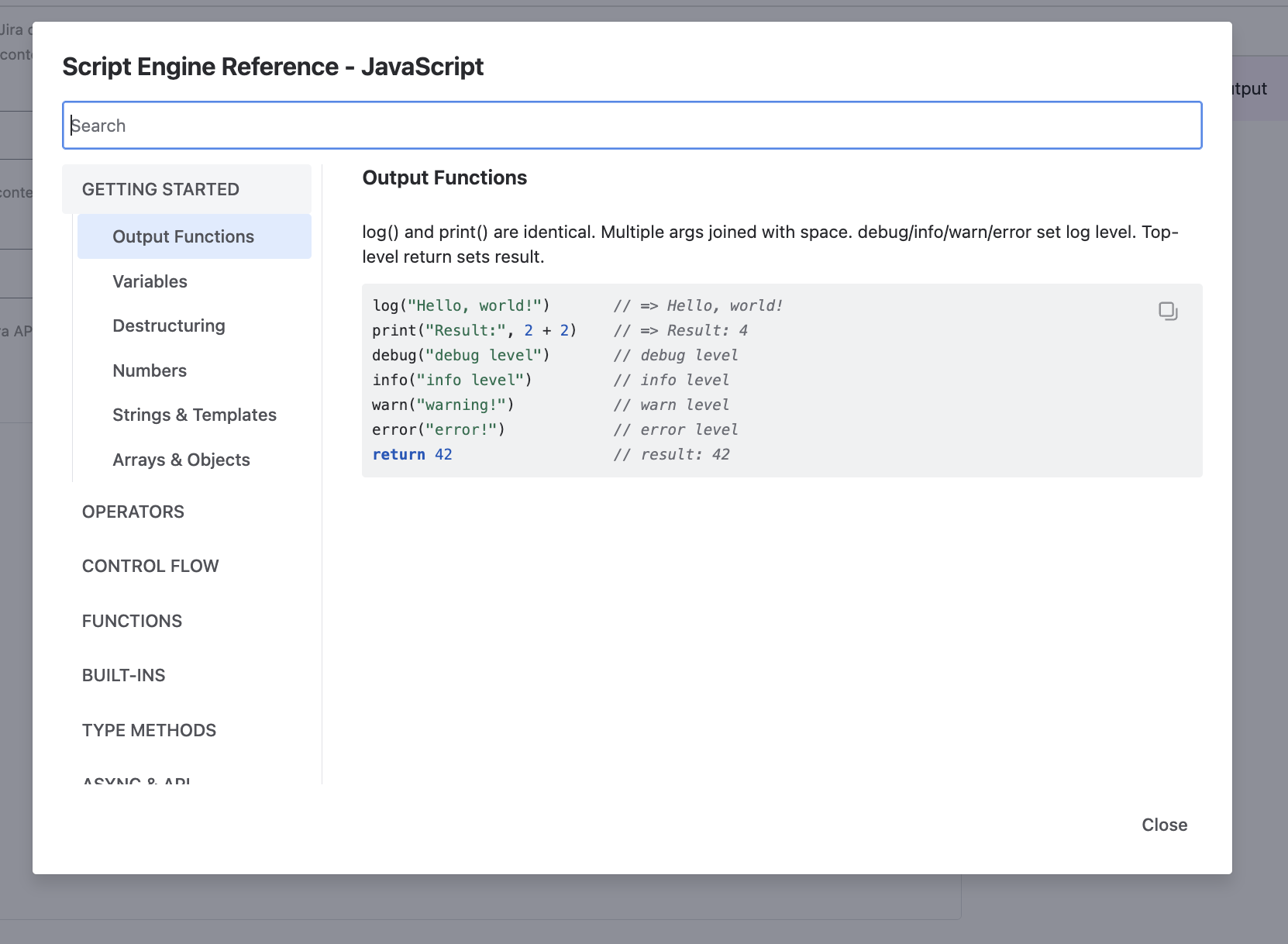
Navigation
The reference panel is organized into two areas:
- Category sidebar (left) - lists all available categories. Click a category to expand it and see its sections. The active category is highlighted.
- Content area (right) - displays the selected section with a description and a code example. Each example has a Copy button in the top-right corner.
Search
The search field at the top filters across all categories. It matches against:
- Section titles
- Section descriptions
- Code examples
Matching results are grouped by category. Clear the search field to return to the full category list.
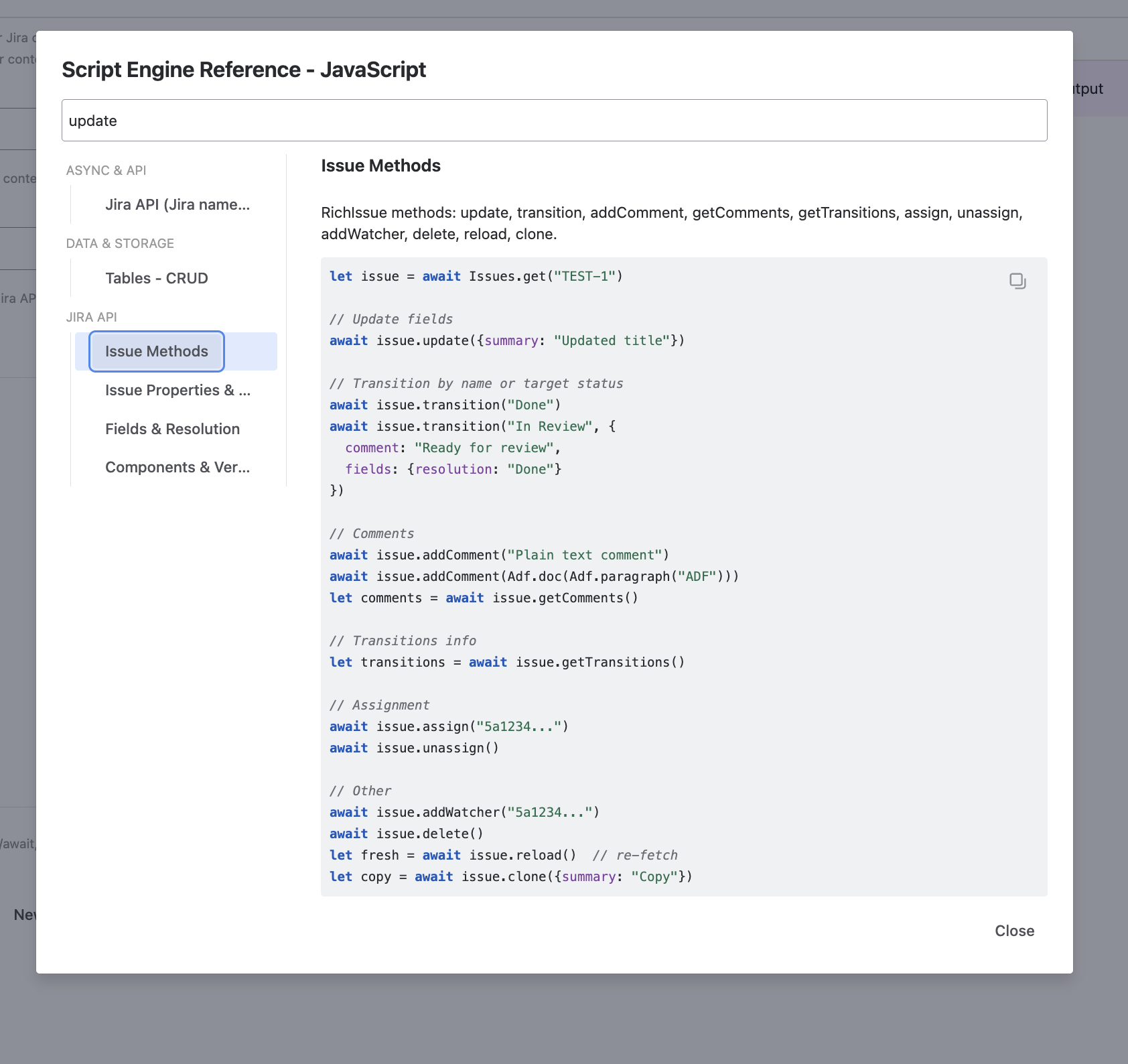
Reference categories
The reference content is organized into categories. JavaScript (the primary engine) has the most complete set with 12 categories. Python and Groovy share several categories with engine-specific syntax.
Getting started
Covers the basics of writing scripts:
- Output -
log(),print(),debug(),info(),warn(),error() - Variables -
var,let,constdeclarations and scoping - Destructuring - object and array destructuring
- Numbers - numeric literals, arithmetic,
Mathoperations - Strings - string literals, template literals, concatenation
- Arrays & Objects - creation, access, iteration, common patterns
Operators
All supported operators with examples:
- Arithmetic -
+,-,*,/,%,** - Comparison -
==,!=,===,!==,<,>,<=,>= - Logical -
&&,||,!, nullish coalescing (??), optional chaining (?.) - Ternary -
condition ? a : b - Bitwise -
&,|,^,~,<<,>> - Spread & Delete -
...spread/rest,deleteoperator - Assignment -
=,+=,-=,*=,/=,??=
Control flow
Flow control statements:
- Conditional -
if/else if/else - Loops -
for,for...of,for...in,while,do...while - Switch -
switch/case/default - Break & Continue - loop control
- Try/Catch - error handling with typed catch and multi-catch
Functions
Function declaration styles and patterns:
- Function declarations -
function name() {} - Arrow functions -
(x) => x * 2 - Default & Rest parameters -
function(a = 1, ...rest) {} - Tagged templates - template literal tag functions
- Closures - functions that capture outer scope
- Higher-order functions - functions that accept or return functions
- eval() - include another saved script by UUID
Built-ins
Built-in objects and global functions:
- Math -
Math.round(),Math.floor(),Math.random(),Math.max(), etc. - JSON -
JSON.parse(),JSON.stringify() - Object & Array statics -
Object.keys(),Object.entries(),Array.isArray(),Array.from() - Number & Conversion -
parseInt(),parseFloat(),Number(),isNaN(),isFinite() - Date -
new Date(), date methods, formatting - RegExp - regular expressions,
=~and==~operators - Set & Map -
new Set(),new Map() - URI -
encodeURIComponent(),decodeURIComponent()
Type methods
Methods available on built-in types:
- String methods -
includes(),startsWith(),endsWith(),split(),replace(),trim(),toUpperCase(),padStart(), etc. - Array methods -
push(),pop(),map(),filter(),reduce(),find(),sort(),flat(),slice(), etc. - Number methods -
toFixed(),toString()
Async & API
Asynchronous operations and API calls:
- Async/Await -
async/awaitsyntax, auto-await behavior - Promise API -
Promise.all(),Promise.allSettled(),Promise.race() - delay() -
await delay(ms)to pause execution - requestJira() - low-level Jira REST API calls
Data & storage
Persistent data operations (see also Data Storage):
- Tables CRUD -
tables.addRow(),tables.updateRow(),tables.deleteRow() - Tables Query -
tables.rows(),tables.findRow(),tables.count() - Queue -
queue.push(),queue.pull(),queue.consume(),queue.ack(),queue.reject() - Async Event -
asyncEvent.push(),asyncEvent.pushSelf()
Limits & rules
Resource constraints and security rules:
- Resource Limits - execution time, loop iterations, API calls, string size (see Limits)
- Security Rules - dangerous property access blocked, method whitelisting, sandbox restrictions
Classes
Object-oriented features:
- Class basics -
class,constructor,this, private fields (#field- JS only), static members - Inheritance -
extends,super - Built-in error types -
Error,TypeError,RangeError,SyntaxError,ReferenceError
Jira API
High-level Jira operations (see also Scripting API):
- Issues -
Issues.get(),Issues.search(),Issues.searchAll(),Issues.create(),Issues.count() - SearchResult - pagination,
map(),filter(),groupBy() - RichIssue -
update(),transition(),addComment(),assign(),clone(),delete() - Projects -
Projects.get(),Projects.list(), project methods - Users -
Users.current(),Users.get(),Users.find() - Boards & Sprints -
Boards.list(),Boards.getSprints(),Sprints.getIssues(),Sprints.moveIssues()
Utilities
Helper namespaces (see also Scripting API - Utilities):
- Adf - Atlassian Document Format builder for rich text (headings, lists, tables, panels, mentions)
- DateUtils - date arithmetic (
diff(),addDays(),businessDays(),format()) - Arrays -
sortBy(),groupBy(),unique(),sum(),chunk(),partition() - Strings -
capitalize(),truncate(),camelCase(),kebabCase(),snakeCase() - CSV -
CSV.parse(),CSV.stringify() - Validator -
isEmail(),isUrl(),isJiraKey(),isAccountId()
Engine-specific differences
All three engines share common API categories (Async & API, Data & Storage, Limits & Rules, Jira API, Utilities) - these use the same APIs but with engine-appropriate syntax. The language-specific categories differ between engines.
JavaScript
The primary and most complete engine. 12 categories total.
JavaScript-specific features include:
- Arrow functions (
=>) - Destructuring (
const { a, b } = obj) - Template literals (
`Hello ${name}`) - Optional chaining (
?.) and nullish coalescing (??) - Spread/rest operators (
...) - Private class fields (
#field) - Tagged template literals
Python
Python-like syntax with familiar constructs. 12 categories total.
Python-specific features include:
def/lambdafunction declarationsf-stringsfor string formatting (f"Hello {name}")- List comprehensions (
[x * 2 for x in items]) *argsand**kwargstry/except(instead oftry/catch)- Python-style built-in functions:
len(),range(),type(),enumerate(),zip(),map(),filter(),sorted() - Dictionary and list methods with Python naming
- Classes with
__init__,self,@staticmethod,@classmethod,@property,isinstance()
Groovy
Groovy-like syntax with Java interop features. 16 categories total - Groovy has the most categories because its built-in types are split into 5 separate categories.
Groovy-specific features include:
defkeyword for dynamic typing- GString interpolation (
"Hello ${name}") - Ranges (
1..10,1..<10) - Closures (
{ x -> x * 2 }) - Safe navigation (
?.) - Collection methods via GDK (
collect,findAll,groupBy,findIndexOf) - Classes with constructors, inheritance, static members, interfaces, enums
Groovy Built-in categories:
| Category | Content |
|---|---|
| JSON | JsonSlurper, JsonOutput |
| Date Time | LocalDate, LocalDateTime, ZonedDateTime |
| Time | Duration, Instant, Period |
| Utils | GDK collection methods |
| Java Lang | String, Integer, Long, Double, Character, Arrays |
Jira Expressions
A special engine exclusively available with the Workflow Condition trigger. Unlike the other three engines, Jira Expressions are not executed in the JiBrok sandbox - they are sent directly to Jira and evaluated natively.
Key differences:
- No sandbox features - no
log(),requestJira(), API namespaces, or built-in utilities - No engine limits - execution is managed entirely by Jira
- Jira-native context -
issue,project,user,now()are Jira Expression objects, not sandbox variables - Return value - must evaluate to
true(allow transition) orfalse(hide transition button)
The reference panel provides Jira Expressions-specific content when this engine is selected, including context variables, available types, and expression examples.
For the full Jira Expressions language reference, see Atlassian documentation.
Next steps
- Scripting Language - Language syntax and sandbox details
- Scripting API - Full API reference with examples
- Script Console - Interactive editor and execution
- Use Cases - Practical scripting examples



