Time in Status (Forge) Time in Status

Forge-native time tracking for Jira Cloud

The next generation of Time in Status, rebuilt on Atlassian Forge. Status time, stopwatches, timers, time-between-dates, work calendars, custom events, and activity reports - all running inside Atlassian's cloud.
Forge-native Stopwatch · Timer · TBD Work calendars Activity reports
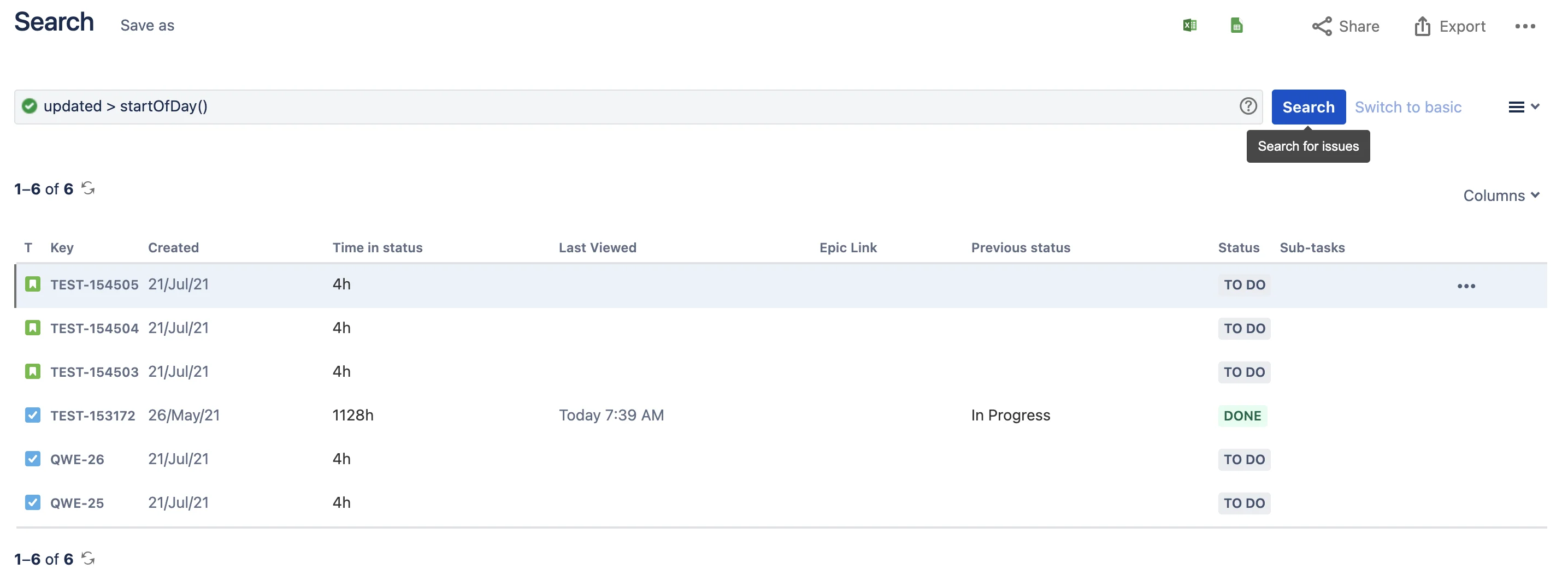
Time in Status field in Jira issue navigator

Five field types, one unified app

Time in Status, Stopwatch, Timer, Time Between Dates, and Calendar Select - covering every time-tracking scenario in Jira.

See your team's time on every issue

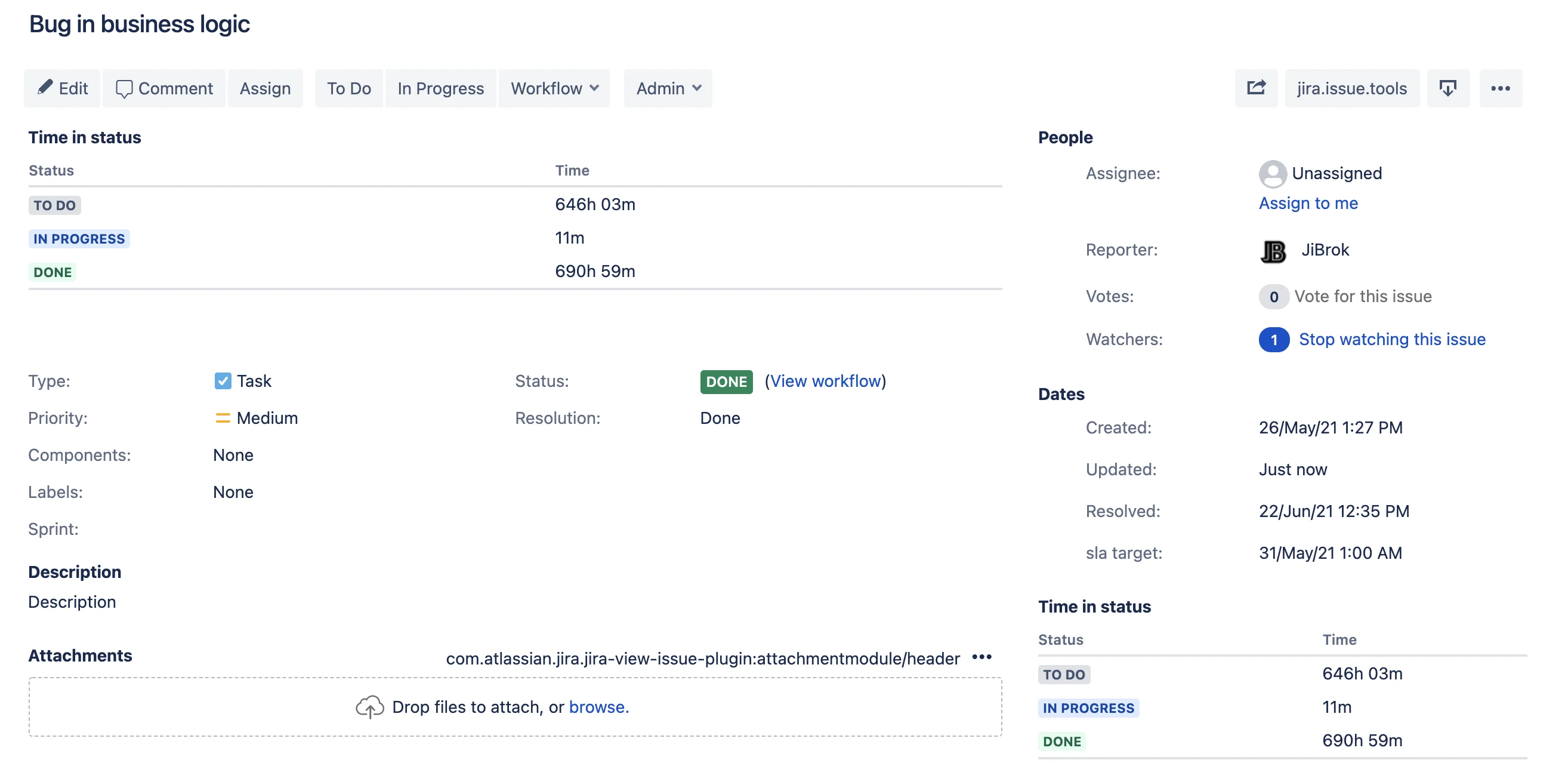
Issue panels for Time in Status, Stopwatch, and Timer - plus a dedicated Activity panel with three built-in reports. Visibility is controlled per project and issue type.

  • R1 - Time in Status: per-status time breakdown
  • R2 - Transition History: chronological status log with durations
  • R3 - Time by Assignee: time grouped by who held the issue

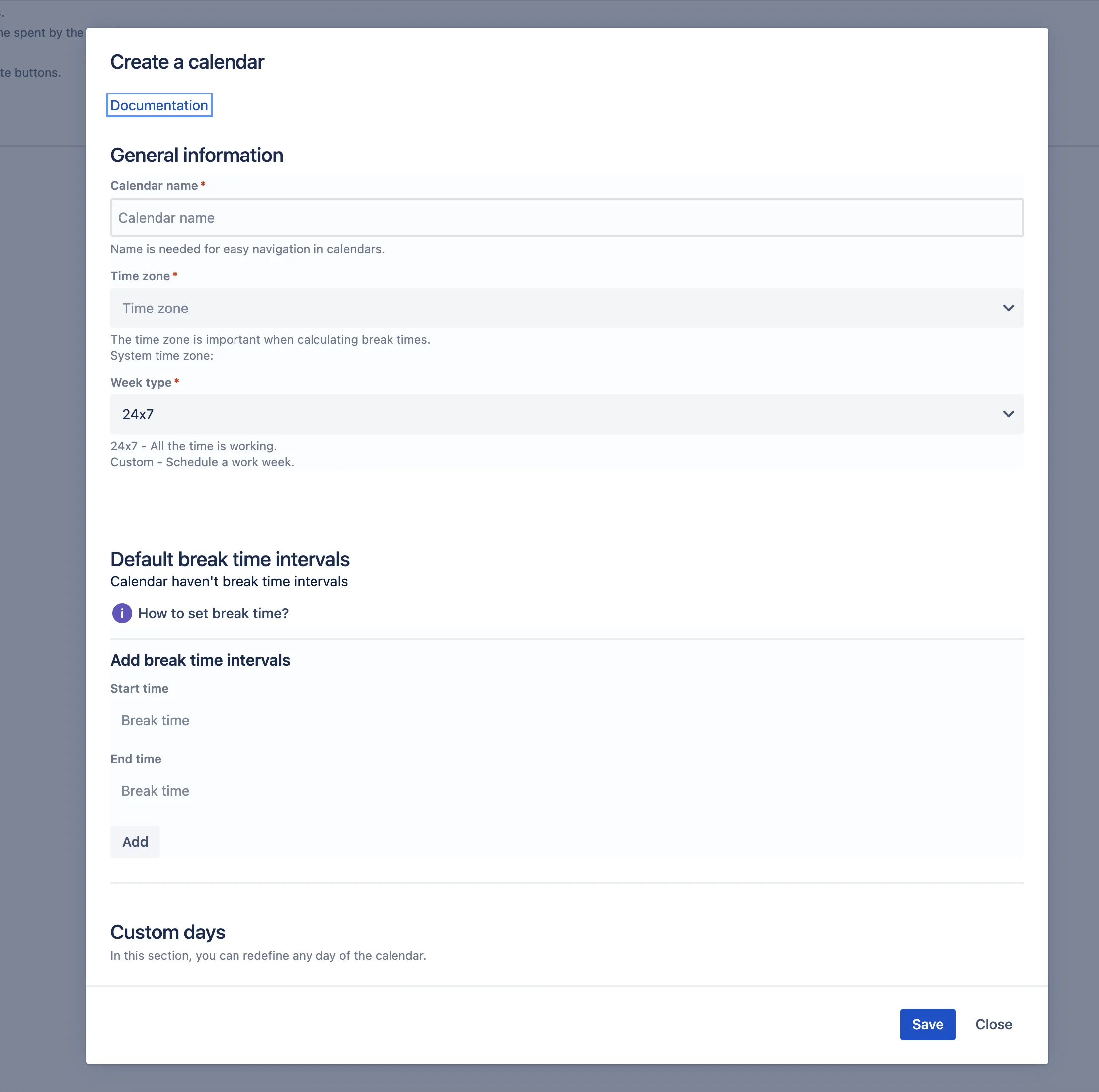
Calendars that match how your team actually works

Forget 24x7 timers. Define business hours, breaks, holidays, and repeating exceptions - then bind any field or panel to the right calendar.

  • Business hours and break times per day
  • Time zones and holiday calendars
  • Repeating patterns: weekly, bi-weekly, monthly, yearly
  • Calendar Select field for per-issue overrides

Built for real workflows

Custom events, recalculation, configuration import/export, and JQL-driven goals - the tools you need to run time tracking at scale.

How it works

From install to first report in four steps.

1

Install

Get the Forge-native app from the Atlassian Marketplace

2

Calendar

Create a work calendar that matches your team's schedule

3

Field

Configure a Time in Status, Stopwatch, or Timer field

4

Panel

Add an issue panel and start seeing time data inline

100% on Atlassian Forge

No external servers. No OAuth setup. No separate infrastructure on your side. Your data never leaves Atlassian.

Atlassian-Hosted

Runs entirely within Atlassian's serverless infrastructure. No vendor servers, no companion services to maintain.

Tenant Isolation

Each customer's data is isolated by Forge platform. Same security model as Atlassian's own apps.

Zero External Dependencies

No third-party analytics, logging, or storage. Everything stays inside Atlassian Forge.

Learn more about our Forge architecture →

Documentation

Quick start, full reference, and migration guides for Connect and Data Center users.

Ready to track time the Forge way?

Install Time in Status (Forge) and configure your first field in minutes.

Forge-native · EU-based vendor · Building for Jira since 2016

JiBrok time in status Time in Status (Forge) for Jira Cloud
Work calendars
Time in Status fields
Timer fields
Stopwatch fields
Time Between Dates fields
Events and field context
Issue panels
Reports and export
Administration
Reference information
rss
rss
rss