JiBrok Docs
  • JiBrok's Home
  • About
  • Documentation
  • Trust Center
JiBrok
    • Status Page
    • Support
    • Contact
    Menu
    JiBrok Stopwatch Stopwatch for Jira Cloud
    • Stopwatch for Jira Cloud - Event Time Tracking
    • Install Stopwatch Field for Jira Cloud
    • Getting Started with Stopwatch Field for Jira Cloud
    • Migration from Server/Data Center
    • Feature Difference (Server/Data Center and Cloud)
    Work calendars
    • Work calendar
    Stopwatch fields
    • Stopwatch - How to create field?
    • Stopwatch - field configuration
    • Stopwatch - JQL
    Issue panels
    • Web panel
    Service tools
    • Stopwatch Cloud Service Status and Activity Monitor
    • Stopwatch Cloud Status Page and Maintenance Updates
    • Home
    • Documentation
    • Stopwatch
    • Stopwatch - How to create field?

    Stopwatch - How to create field?

    1. Open the “Stopwatch field” application:
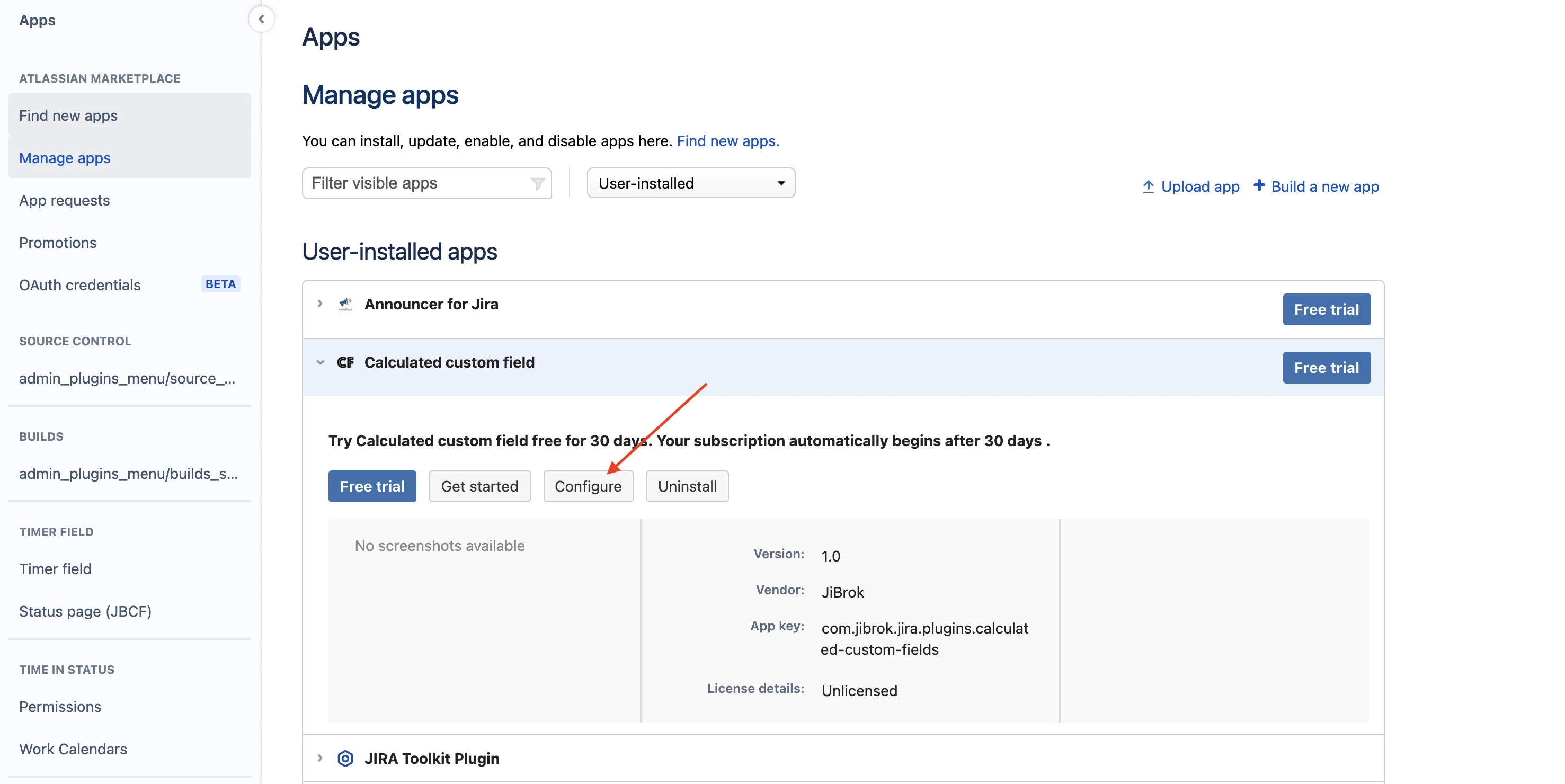
      • Open from “Manage your app“:

        open-admin-from-app-manage screenshot

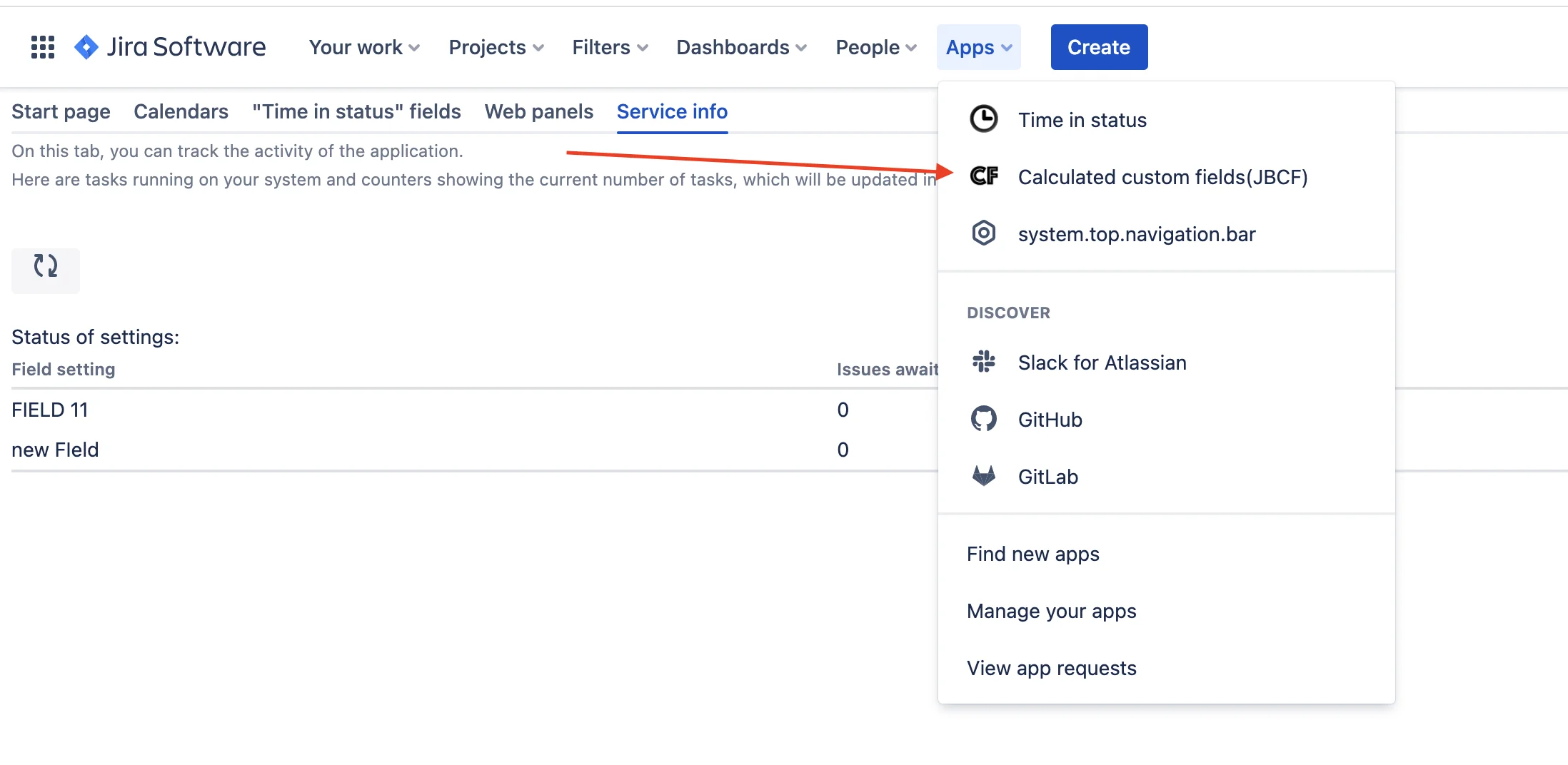
      • Or from “Apps“ menu:

        open-admin-from-apps-menu screenshot

    2. Open the “Stopwatch” fields tab and click “Create”:
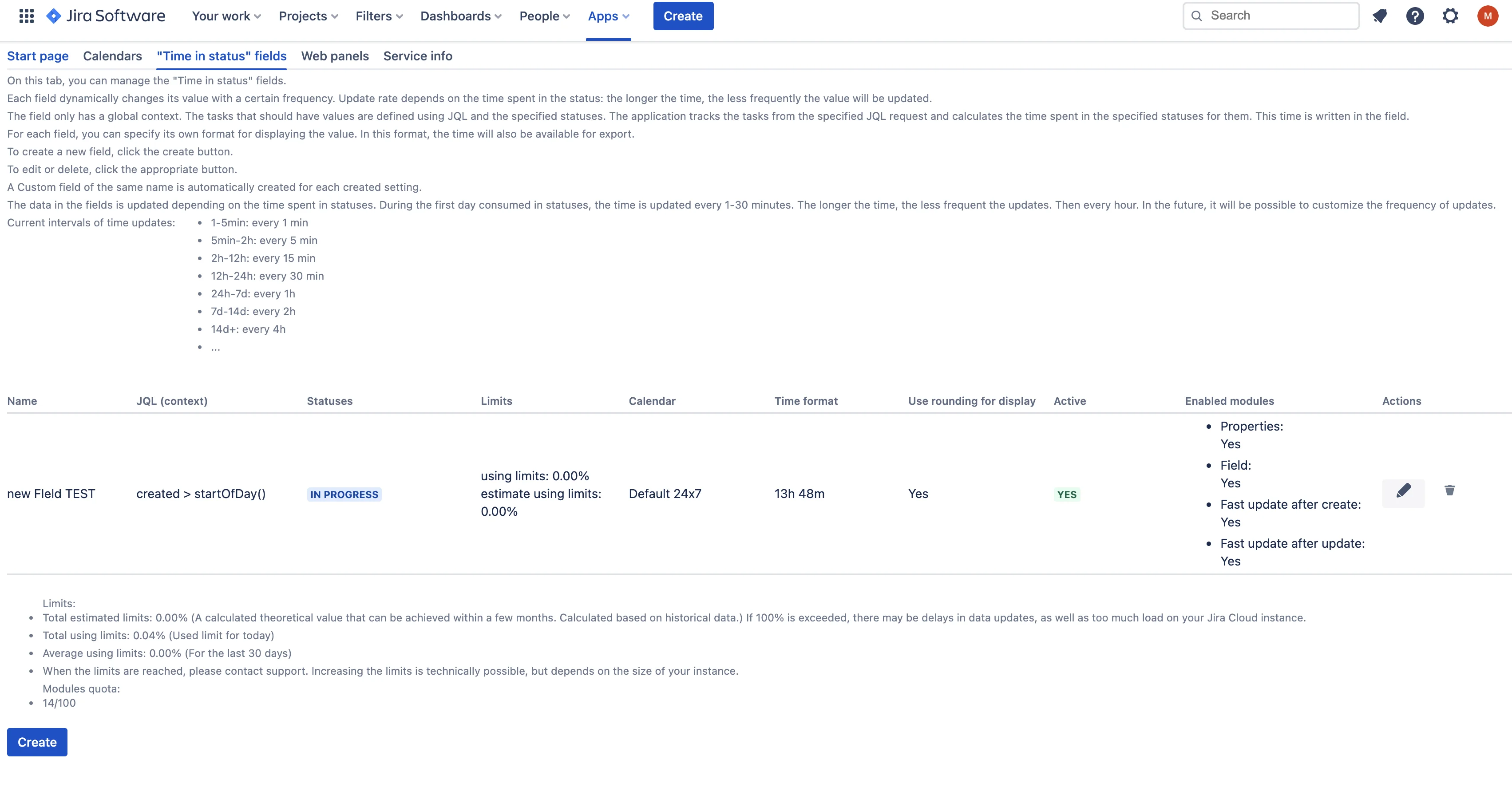
      page-time-in-status-fields screenshot

    3. Customize the field

    Related Docs

    • Feature Difference (Server/Data Center and Cloud)

    • Getting Started with Stopwatch Field for Jira Cloud
    • Install Stopwatch Field for Jira Cloud
    • Stopwatch for Jira Cloud
    • Migration from Server/Data Center
    JiBrok Stopwatch Stopwatch for Jira Cloud
    • Stopwatch for Jira Cloud - Event Time Tracking
    • Install Stopwatch Field for Jira Cloud
    • Getting Started with Stopwatch Field for Jira Cloud
    • Migration from Server/Data Center
    • Feature Difference (Server/Data Center and Cloud)

    Work calendars
    • Work calendar
    Stopwatch fields
    • Stopwatch - How to create field?
    • Stopwatch - field configuration
    • Stopwatch - JQL
    Issue panels
    • Web panel
    Service tools
    • Stopwatch Cloud Service Status and Activity Monitor
    • Stopwatch Cloud Status Page and Maintenance Updates
    JiBrok
    • Home
    • Trust Center
    • Status Page
    • Support
    • Contact
    rss
    rss
    rss

    We use cookies to analyze site traffic and improve your experience. Necessary cookies are always active. You can choose to accept or decline analytics and functional cookies. See our Cookie Policy for details.

    Choose which cookie categories to allow:

    Necessary Essential for website operation
    Analytics Google Analytics 4 - anonymous usage data
    Functional Support widget (Jira Service Desk)