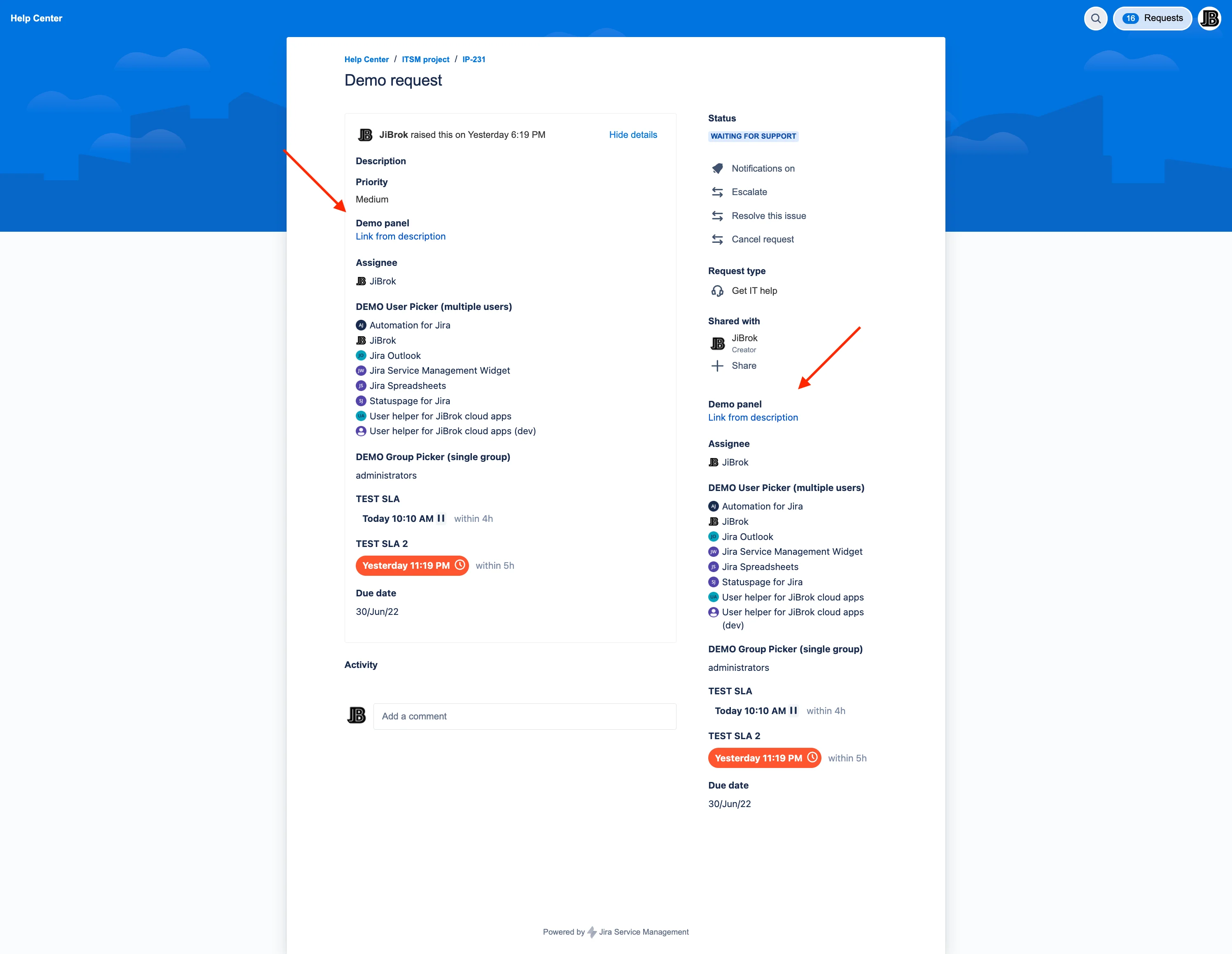
Display fields, panel descriptions, and HTML messages on the customer portal request view. Two placement zones, per-request-type configuration, and point-and-click setup - no code.
Configure panels from the project settings of your service project - no code, no extra portals.
One panel at the top of the request, another on the side - put the most important fields where customers look.
System and custom fields. Third-party app fields supported - and new ones added on request.
Show plain text, formatted instructions, or full HTML messages on each panel.
Pick which panels appear for each request type - and where they appear.
Panels are set up in the service project's own settings, per request type. A Jira administrator does the setup.
Preview HTML descriptions before saving - know exactly how customers will see the panel.
Install Fields Panel for JSM and put the right fields in front of every customer.
EU-based vendor · Building for Jira since 2016