 JiBrok Studio for Jira Cloud
Overview
Global Variables let you define shared constants, values, and functions that are automatically available in every script across your site.
How it works
A single Global Script returns an object whose keys become variables available in all other scripts.
return {
  TEAM_PROJECT: "PROJ",
  MAX_RETRIES: 3,
  formatDate: (d) => DateUtils.format(d, 'YYYY-MM-DD'),
}
After saving, all scripts can use these variables directly:
log(TEAM_PROJECT)              // => PROJ
log(MAX_RETRIES)               // => 3
log(formatDate(new Date()))    // => 2024-01-15
Managing global variables
- Navigate to the Global Variables tab
- Edit the global script in the editor
- Click Run to test - the output shows defined variables with types and preview values
- Click Save to activate
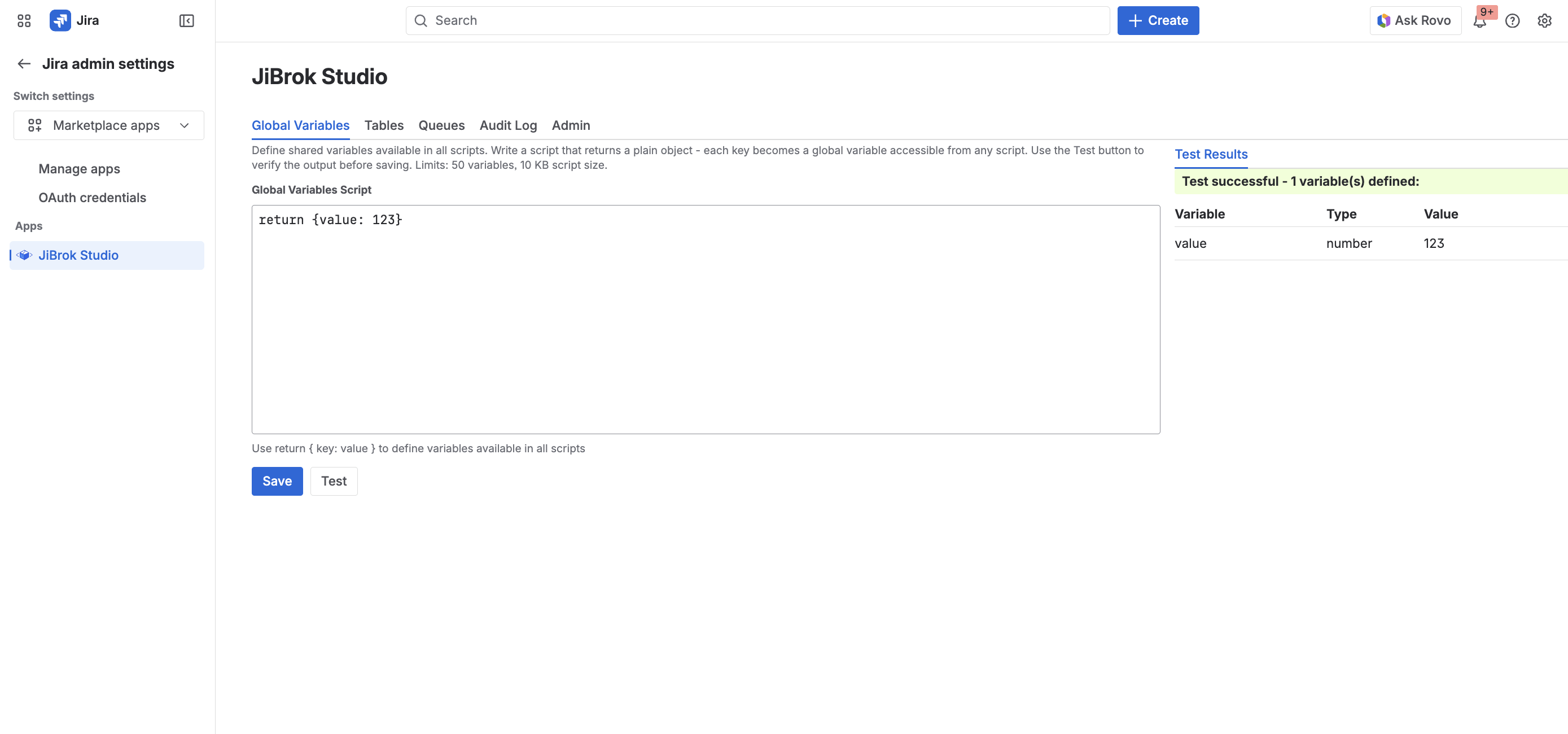
Variable display
After running, a table shows the defined variables:
| Column | Description |
|---|---|
| Variable | Variable name |
| Type | string, number, boolean, function, object, etc. |
| Preview | Value preview |
Rules and limits
- The script must return a plain object (
return { key: value }) - Reserved variable names (engine built-ins) cannot be overridden
- Only one global script exists per site
eval()(direct code evaluation) is not allowed in the global script. Useeval(scriptId)in regular scripts to include shared code.- Version history tracks all changes
See Limits for global variable limits.
Note: The global script runs before every other script execution and has strict reduced limits (1 second execution time, no logging, 1,000 loop iterations). Keep it simple - return constants and short helper functions.
Next steps
- Script Console - Using variables in scripts
- Scripting Language - Language reference
- Limits - All system limits



